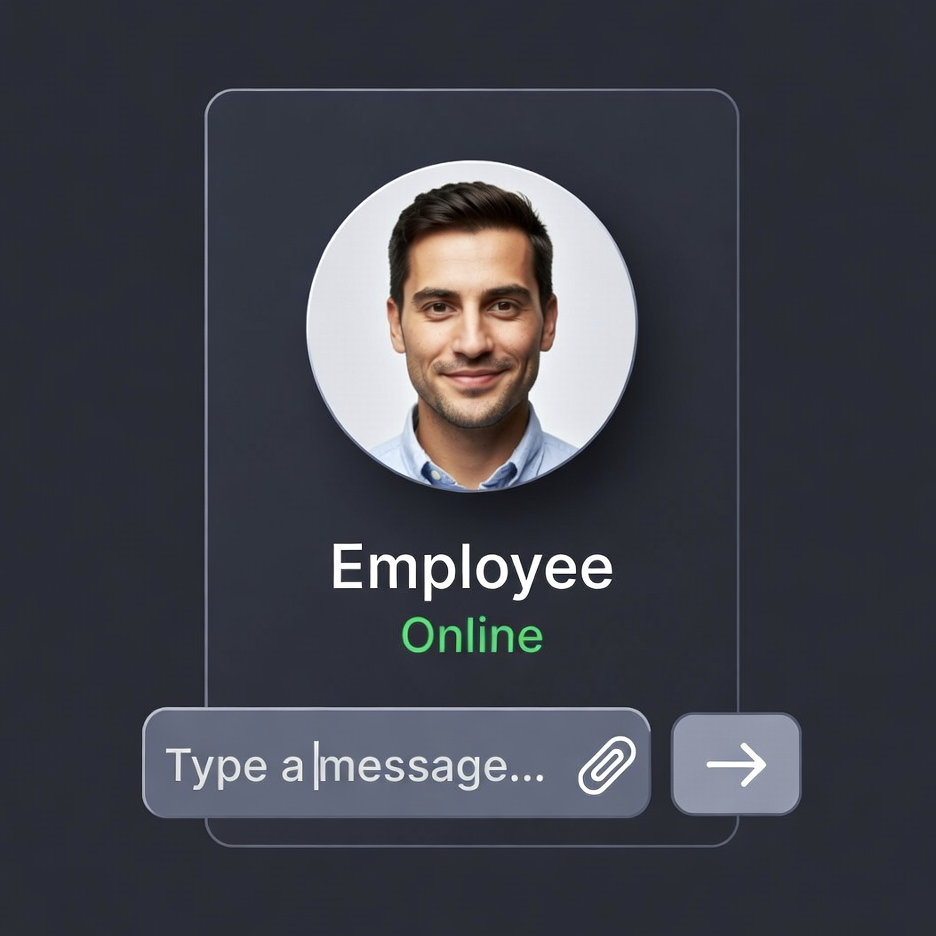
We just shipped Widgets.
Now any Cerebral can live on any website.
One script tag. No integration complexity. No months-long deployments.
Your customer service Cerebral? Drop it on your Shopify store.
Your support Cerebral? Add it to your SaaS product.
Your sales Cerebral? Embed it on your landing page.
What We Built
A complete embeddable chat widget system that lets you deploy Cerebrals to any web surface.
The entire implementation:
<script src="https://app.cerebralos.com/widget.js"
        data-widget-id="widget_abc123">
</script>
That's it.
Paste that before your closing </body> tag and you have a fully functional AI employee on your website.
Why This Matters
Before Widgets:
Cerebrals lived inside Cerebral OS.
Which meant your customers had to:
- Navigate to a separate platform
- Log in to a different system
- Leave your website entirely
After Widgets:
Cerebrals live wherever your customers are.
On your:
- E-commerce store
- SaaS product
- Marketing website
- Customer portal
- Help center
- Internal tools
Right in the browsing experience.
No context switching. No separate logins. No friction.
How It Actually Works
Step 1: Create a Widget
Log into Cerebral OS → Widgets → Create Widget
Pick which Cerebral to deploy (Customer Service, Sales, Support, whatever you've built)
Configure appearance and behavior.
Step 2: Copy the embed code
<script src="https://app.cerebralos.com/widget.js"
        data-widget-id="your_widget_id">
</script>
Step 3: Paste it on your site
Add it to your website's HTML.
That's the entire deployment.
The widget loads, connects to your Cerebral, and starts handling conversations.
What You Can Configure
Branding
Agent Name & Avatar:
- Custom name (shows in chat header)
- Avatar URL or generated initials
Colors:
- Primary color for buttons, launcher bubble
- Matches your brand
Welcome Message:
- First thing customers see
- Can be personalized based on page
Position:
- Bottom right (default)
- Bottom left
- Custom positioning via CSS
Behavior
Auto-Open:
- Widget opens automatically after X seconds
- Great for proactive support
Contact Collection:
- Require name/email before first message
- Or let them chat anonymously
File Uploads:
- Allow customers to upload screenshots, receipts, documents
- Cerebral processes them automatically
Business Hours:
- Set your timezone and schedule
- Widget shows "offline" message outside hours
- Still collects messages for follow-up
Reset on Navigation:
- Start fresh conversation on each page
- Or maintain context across your entire site
Intent Menu (This is Cool)
Instead of forcing customers to describe their issue in text, show them a menu:
Support Categories:
- 🔧 Order Status
- 📦 Returns & Refunds
- 💳 Billing Questions
- 🚚 Shipping Issues
Customer clicks their intent → Cerebral knows exactly what they need → deterministic routing to the right workflow.
No LLM guessing. Clean intent detection.
The Cerebral receives [Intent: ORDER_STATUS] and routes accordingly.
Session Continuity
The widget remembers.
Customer asks: "Where's my order?"
Navigates to a different page.
Comes back later.
Same conversation continues.
Session ID stored in browser cookie. Context preserved across:
- Page refreshes
- Navigation within your site
- Return visits (configurable)
Unless you want fresh conversations per page - then enable reset_on_navigation.
Page Context Awareness
The Cerebral knows where the customer is on your site.
Every message includes:
- Current page URL
- Page title
- Referrer
Example:
Customer on /products/running-shoes asks: "Is this waterproof?"
Cerebral sees:
{
  "message": "Is this waterproof?",
  "pageUrl": "https://example.com/products/running-shoes",
  "pageTitle": "TrailRunner Pro - Running Shoes"
}
The Cerebral can:
- Look up product details for the current page
- Give page-specific answers
- Track where conversations happen on your site
Proactive Messages
Widget can start conversations automatically.
"Need help finding the right size?" - shows after 10 seconds on product page
"Have questions about shipping?" - appears on checkout page
"Can I help you with anything?" - nudges after 30 seconds of browsing
Configure multiple proactive messages with different triggers and delays.
Broadcast Messages
Push a message to all active widget visitors at once.
Use cases:
- "Live support available now!"
- "Flash sale ending in 1 hour"
- "New feature just launched"
Two types:
Banner: Shows at top of widget (doesn't interrupt conversation)
Message: Injected as if Cerebral sent it (starts conversation)
Visitors can dismiss. Seen state tracked in their browser.
Real-World Example: E-Commerce
Shopify store selling outdoor gear.
Widget configured:
- Auto-opens after 15 seconds on product pages
- Proactive message: "Questions about sizing or materials?"
- Intent menu: Product Questions, Order Status, Returns, Shipping
- File uploads enabled (customers can send photos)
- Business hours: M-F 9am-6pm PST
Customer flow:
- Lands on hiking boot product page
- Widget opens automatically after 15 seconds
- Shows intent menu
- Clicks "Product Questions"
- Asks: "Are these good for wide feet?"
What the Cerebral sees:
{
  "message": "Are these good for wide feet?",
  "injectedIntent": "PRODUCT_QUESTIONS",
  "pageUrl": "https://store.com/hiking-boots-pro",
  "pageTitle": "HikePro Boots - Waterproof Hiking Boots"
}
Cerebral workflow:
- Detects product page from URL
- Calls Shopify API to get product details
- Checks product description for sizing info
- Responds: "HikePro Boots have a wider toe box than most hiking boots. Available in wide sizes (D/EE). Based on 47 reviews, 89% of wide-foot customers rated fit as 'true to size' or 'roomy.'"
All automatic. No human involved.
Real-World Example: SaaS Product
Project management SaaS tool.
Widget configured:
- Appears on every authenticated page
- Contact collection: OFF (already know who they are)
- Intent menu: Technical Support, Billing, Feature Requests
- Captures auth context (user ID, plan tier, account age)
Customer asks: "How do I export my data?"
What the Cerebral sees:
{
  "message": "How do I export my data?",
  "injectedIntent": "TECHNICAL_SUPPORT",
  "pageUrl": "https://app.saas.com/projects/dashboard",
  "authContext": {
    "userId": "user_123",
    "email": "jane@example.com",
    "planTier": "pro",
    "accountAge": "247 days"
  }
}
Cerebral workflow:
- Sees they're on Pro plan (exports available)
- Checks knowledge base for export documentation
- Responds: "Hi Jane! You can export your project data from Settings → Data Export. As a Pro plan customer, you can export in CSV, JSON, or Excel formats. Want me to walk you through it?"
Personalized based on plan tier and authenticated user.
Technical Details (For Developers)
How the Widget Works
Widget.js is a vanilla JavaScript IIFE:
- No dependencies
- No build step
- Shadow DOM for style isolation
- LocalStorage for session persistence
When it loads:
- Fetches widget config from
/api/v1/widgets/public/config/:widgetId - Checks for existing session in localStorage
- Checks for active broadcasts
- Renders launcher bubble
- Listens for user interaction
When customer sends a message:
- Widget POSTs to
/api/v1/widgets/public/chat - Includes: message, sessionId, visitorId, pageUrl, pageTitle
- Backend routes to the assigned Cerebral
- Cerebral processes and responds
- Widget displays response
- Session updated in backend
Session continuity:
- VisitorID generated on first interaction (UUID)
- Stored in cookie:
cerebral_visitor - SessionID generated per conversation
- Stored in localStorage:
cerebral_session_{widgetId} - Both persist across page loads
CORS & Security
Allowed Origins:Configure which domains can embed your widget.
Empty array = allow all (for testing)
Specified domains = only those can load the widget
Backend enforces:
- Origin matching on all
/public/* endpoints - Session validation
- Rate limiting per visitor
- CSRF protection
File Upload Flow
When enabled:
- Customer clicks attachment button
- Widget uploads to pre-signed S3 URL
- Backend triggers Textract
- Extracted text injected into message context
- Cerebral receives both message + file content
Optional: Keep files in S3 after processing (configure persist_uploads)
Standalone Mode (The Part Nobody Else Does)
Widget can work as a standalone page.
No embedding. No website required. Just a direct URL.
https://app.cerebralos.com/widgets/standalone/widget_abc123
This is where it gets interesting.
QR Code Deployments
Restaurant table tent:
- QR code on every table
- Scans to ordering Cerebral
- Cerebral takes order, sends to kitchen, processes payment
- No app download. No waitstaff needed for ordering.
Product packaging:
- QR code on box
- Scans to product support Cerebral
- Customer asks setup questions, troubleshooting, warranty claims
- Cerebral can create support tickets, order replacement parts, schedule service
Retail store signage:
- QR code next to products
- Scans to product expert Cerebral
- Answers specs, compares models, checks inventory, reserves for pickup
- Does real work - not just FAQ answers
Event badges:
- QR code on conference badge
- Scans to event concierge Cerebral
- Books meeting rooms, adds sessions to calendar, orders catering, submits expense reports
- Full event operations, not just info lookup
Business cards:
- QR code on card
- Scans to intake Cerebral
- Schedules consultation, qualifies leads, collects requirements, creates CRM record
- Sales process starts immediately
Hotel room cards:
- QR code on keycard sleeve
- Scans to concierge Cerebral
- Orders room service, requests housekeeping, books spa, arranges transportation
- Takes actions, not just provides phone numbers
The Difference
Most QR codes link to:
- PDF menus
- Static web pages
- Contact forms
- FAQ pages
Your QR codes link to an AI employee that:
- Takes orders
- Processes payments
- Creates tickets
- Books appointments
- Accesses inventory
- Updates systems
- Actually does the work
Not information. Action.
Physical-to-Digital Bridge
Gym equipment:
- QR code on machine
- Scans to trainer Cerebral
- Demonstrates exercises, logs workout, adjusts program, orders supplements
Medical devices:
- QR code on equipment
- Scans to support Cerebral
- Troubleshoots issues, orders supplies, schedules calibration, creates service tickets
Manufacturing floor:
- QR code at workstation
- Scans to operations Cerebral
- Reports issues, requests materials, logs maintenance, updates production status
Delivery trucks:
- QR code on vehicle
- Scans to logistics Cerebral
- Reports problems, updates location, reschedules deliveries, processes proof of delivery
Mobile-First Support
Email signature link:
- "Need help? Chat with our support team →"
- Opens full-page Cerebral
- Authenticated by email context
- Can access customer account, order history, support tickets
SMS campaigns:
- "Click here to schedule your appointment"
- Direct link to scheduling Cerebral
- Books appointment, sends confirmation, adds to calendar
- Two-way SMS follow-ups automated
Print advertising:
- Magazine ad with QR code
- Scans to sales Cerebral
- Qualifies lead, schedules demo, creates opportunity in CRM
- Marketing attribution tracked from print to close
No App Required
This is the key insight:
Most companies build mobile apps for workflows that only need to happen occasionally.
You don't need an app for:
- Ordering at a restaurant once a month
- Getting product support twice a year
- Scheduling an appointment quarterly
- Reporting a delivery issue
You need a direct link to something that works.
QR code → Cerebral → Work gets done.
No download. No account creation. No app store approval.
Just scan and interact.
Internal Use Cases
Office building directory:
- QR code at entrance
- Scans to building ops Cerebral
- Reports maintenance issues, books conference rooms, orders supplies, requests parking
Factory floor stations:
- QR code at each station
- Scans to production Cerebral
- Logs quality issues, requests materials, updates work orders, calls maintenance
Hospital patient rooms:
- QR code on whiteboard
- Scans to patient services Cerebral
- Requests nurse, orders meals, asks medical questions, updates preferences
Retail stockroom:
- QR code on inventory bins
- Scans to inventory Cerebral
- Reports counts, requests restock, logs damage, transfers between locations
Standalone Mode
Widget can also work as a standalone page.
No embedding needed. Just a direct link:
https://app.cerebralos.com/widgets/standalone/widget_abc123
Full-page widget. No launcher bubble. Just the conversation.
Perfect for:
- Mobile-optimized support portals
- Direct links in help documentation
- Dedicated chat pages
- Internal helpdesk interfaces
Analytics Integration
Every widget interaction tracked:
- Message count
- Session duration
- Intent selection frequency
- Page context when conversations start
- Rating submissions
Available in Analytics dashboard:
- Filter by widget ID
- See which pages drive most conversations
- Identify common intents
- Track resolution rates
What Customers Are Building
E-commerce:
- Product Q&A on every product page
- Order tracking in post-purchase flow
- Returns/exchanges support
SaaS Products:
- In-app technical support
- Onboarding assistance
- Feature discovery
Healthcare:
- Patient intake forms
- Appointment scheduling
- Insurance verification
Real Estate:
- Property inquiry handling
- Showing scheduling
- Application assistance
All with the same embed code. Different Cerebrals. Different workflows.
Cost Model
Widgets don't cost extra.
You pay for Cerebral usage:
- Messages processed
- Actions executed
- Tokens consumed
The widget itself? Free infrastructure.
Deploy on unlimited domains. Handle unlimited visitors. Scale to millions of conversations.
Just like how Twilio doesn't charge for phone numbers. You pay for SMS sent.
We don't charge for widgets. You pay for Cerebral execution.
Getting Started
1. Create a Cerebral (if you haven't already)
- Customer Service
- Sales
- Support
- Whatever your use case
2. Create a Widget
- Navigate to Widgets in Cerebral OS
- Click "Create Widget"
- Assign your Cerebral
- Configure appearance and behavior
3. Copy the embed code
<script src="https://app.cerebralos.com/widget.js"
        data-widget-id="YOUR_WIDGET_ID">
</script>
4. Add to your website
- Paste before closing
</body> tag - Or use Google Tag Manager
- Or inject via your CMS
5. Test it
- Load your site
- Click the launcher bubble
- Send a message
- Watch your Cerebral respond
6. Ship it
The Bottom Line
Cerebrals shouldn't require separate platforms.
They should work where your customers already are.
Widgets make that happen.
One script tag.
Any website.
Full AI employee functionality.
No integration complexity. No API keys to manage. No backend development.
Just paste the code and go.
The widget is live.
Start embedding.
[Create your first widget →]

.jpeg)